
Channels / Facebook Messenger

Connect Facebook Messenger to Sendpiper
Link your Facebook Page to manage Messenger conversations, automate comment-to-DM on Page posts, and route messages to flows or your AI agent.
Get Started FreeHow to connect Messenger
You'll need admin access to the Facebook Page you want to connect. The whole process takes a couple of minutes.
Open Channels and select Messenger
From your Sendpiper dashboard, go to Channels, find Facebook Messenger under Available Channels, and click Connect Channel.
Sign in with Facebook and pick your Page
A window opens for you to log in with Facebook and choose the Page you want to connect. Approve the permissions Facebook asks for so Sendpiper can read and reply to Messenger conversations on the Page's behalf, then you're redirected back to Sendpiper.
Confirm the Page with a one-time code
Your Page now shows up under Connected Channels labeled Awaiting Subscription. Click Subscribe and Sendpiper gives you a short code — send it to your Page in Messenger within the hour (or tap "Start in Messenger" to open the chat pre-filled) to confirm you own the Page.
Set up comment-to-DM and your flow
Once the code is received, the status flips to Connected and Messenger goes live. Choose a keyword trigger for Page post comments, and tie your flow or AI agent to the channel so replies start working immediately.
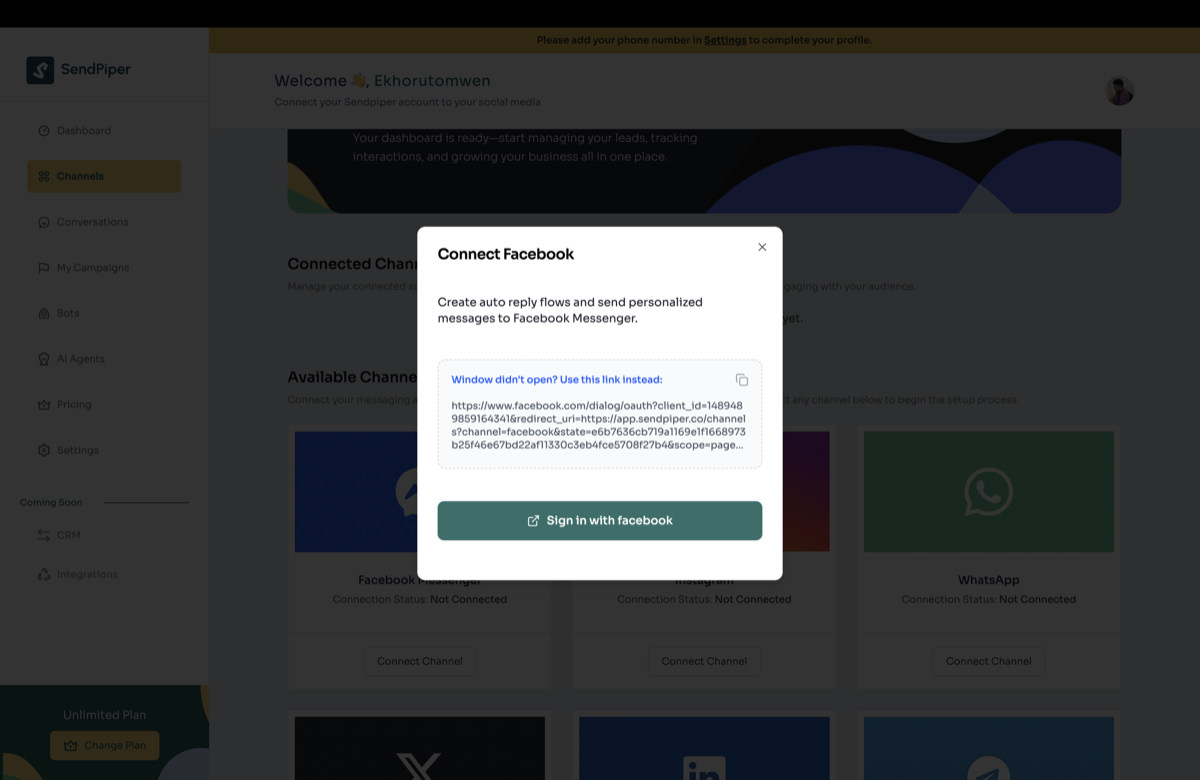
Sign in with Facebook to authorize your Page
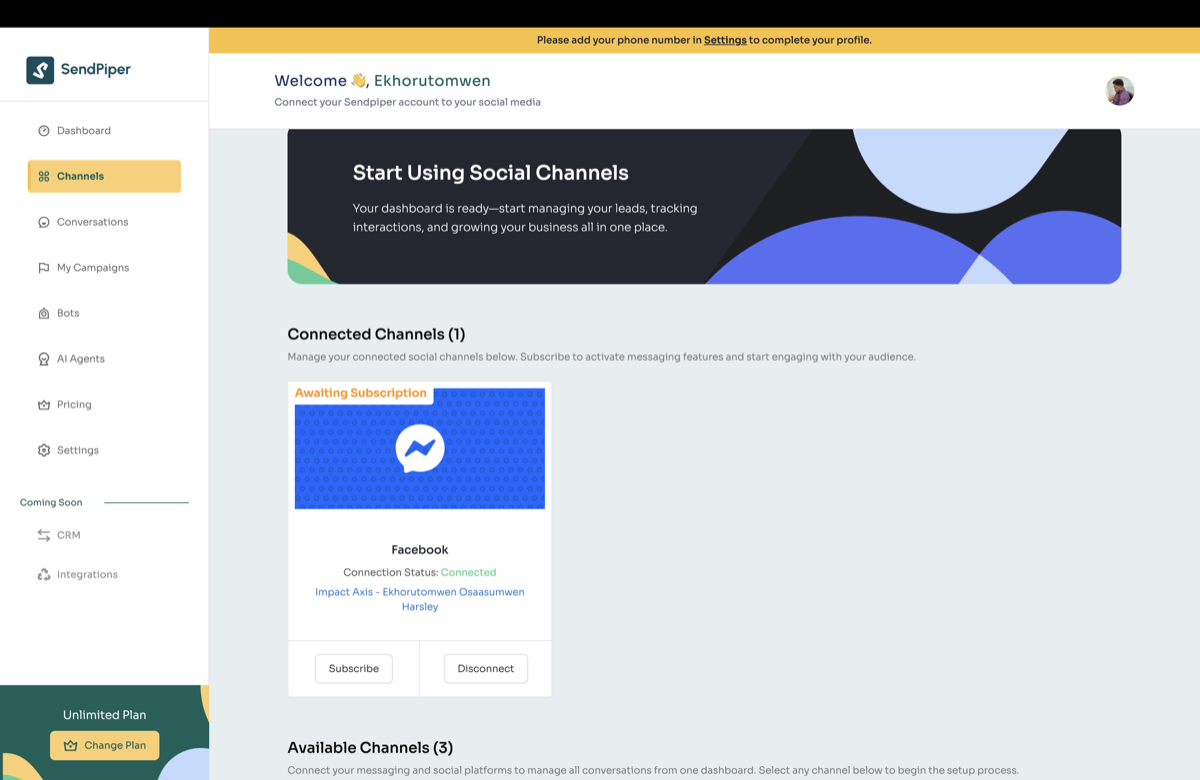
Your Page appears, labeled Awaiting Subscription
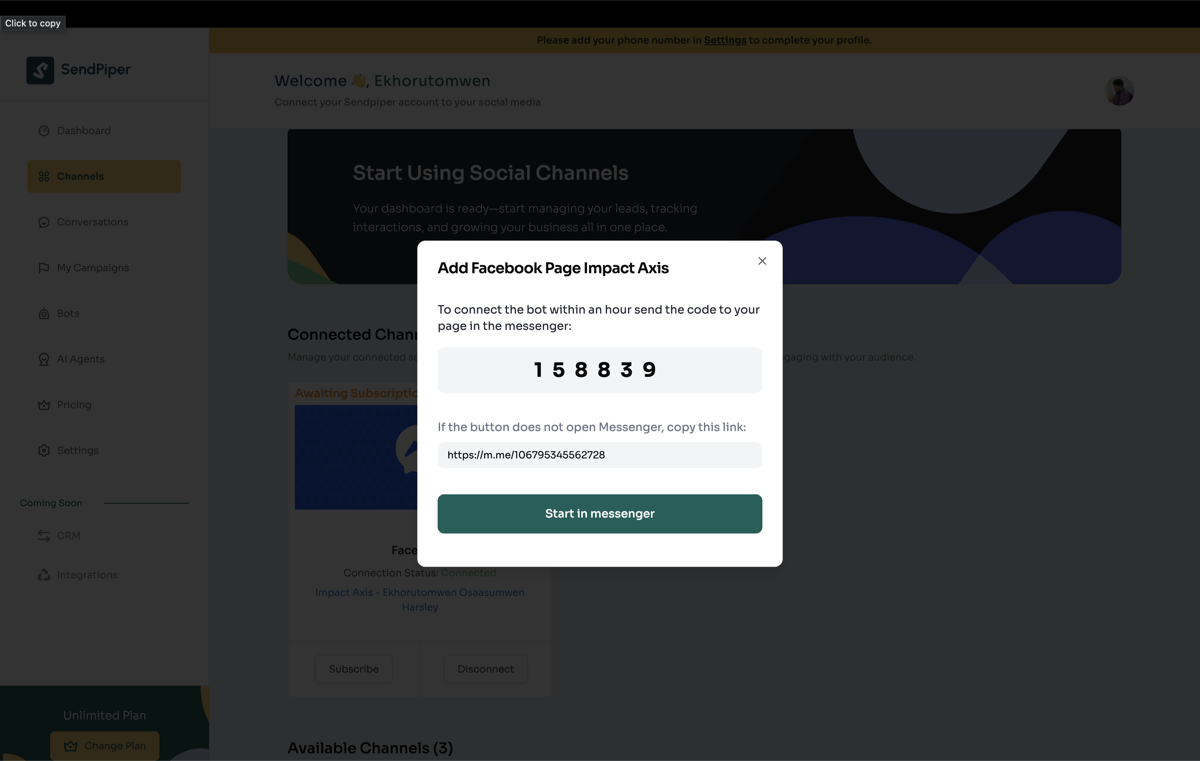
Send the one-time code to activate
What you can do once Messenger is connected
Comment-to-DM
Turn comments on Page posts into automated, private Messenger threads.
Sendpiper Flow
Handle order updates, bookings, or FAQs with a deterministic flow.
AI Agent
Escalate anything outside the flow to an agent trained on your knowledge base.